

Automatic Screen Printer: How It Works and How to Evaluate One
Automatic Screen Printer: How It Works and How to Evaluate One
A practical guide to automatic screen printers: how the print cycle, registration, ink control, and curing work, plus a pre-purchase checklist for job mix, space, utilities, training, and supplier questions.
An automatic screen printer is a screen printing press that uses machine-driven motion for the print cycle and, in many carousel or in-line designs, for moving substrates between print stations. If you run a manual or semi-automatic press and your repeat orders are growing, this guide explains how these machines work and gives you a practical checklist for evaluating one.
This article is a general evaluation framework, not a product test. No SERP research or source verification was performed for this plan, and no first-party context was supplied beyond the writing parameters. Model-specific specifications should come from the manufacturer's written documentation. Use the questions here to run a sharper supplier conversation, compare proposals on the same basis, and confirm your requirements with equipment suppliers.
What an Automatic Screen Printer Is and Where It Fits
Definition in plain operational terms
An automatic screen printer performs the print stroke and, in many configurations, the indexing of garments or other substrates between stations with machine-driven motion rather than a manual operator stroke. That does not mean the operator disappears from the process. Setup, screen registration, ink control, pallet adjustment, and quality checks still require trained attention.
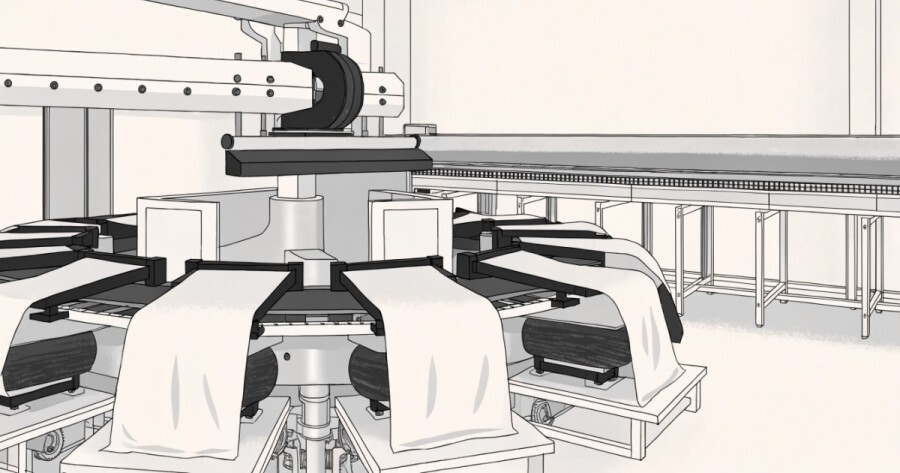
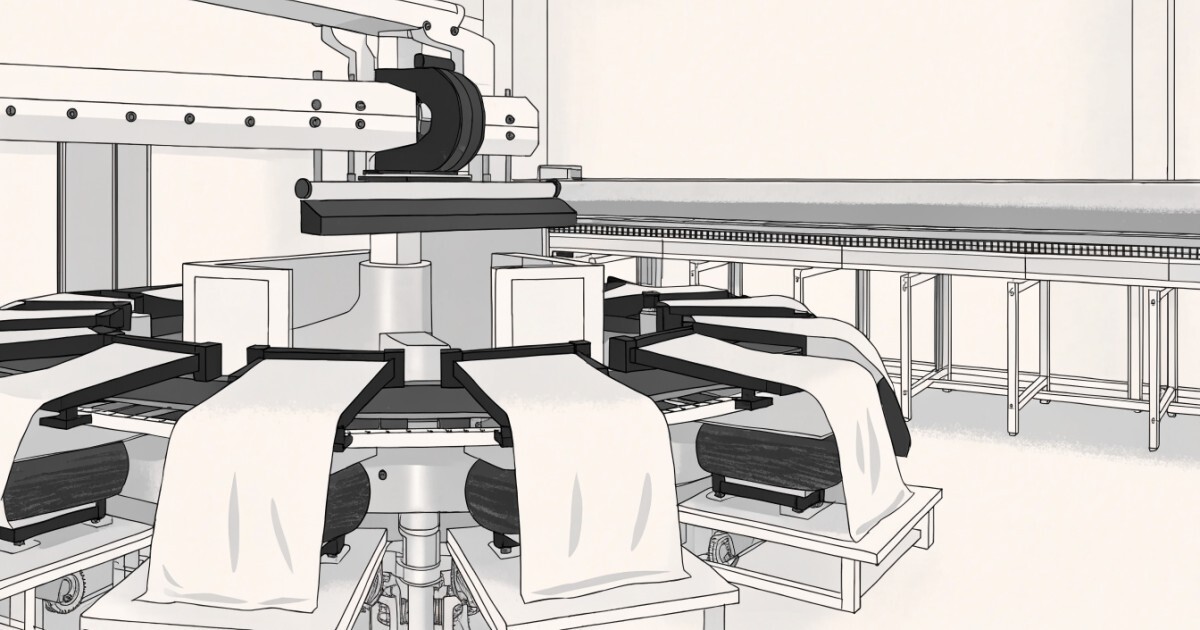
Machine configurations vary. Some presses use a carousel layout with pallets that rotate between print stations; others use an in-line layout. Controls may be pneumatic, relay-based, servo-driven, or PLC-controlled. Treat any single description as a general pattern, not a universal specification, and confirm the actual configuration in the manufacturer's documentation.
Typical production contexts
Automatic presses are generally oriented toward repeat jobs and sustained run lengths where consistency across many pieces matters. A shop with recurring orders, multiple colors, and predictable changeovers is a more natural fit than a shop whose work changes constantly or whose runs are very short. Job mix, order volume, and repeatability matter more than business size alone.
Very short or highly varied runs may still favor manual or semi-automatic work, especially when setup and changeover time would dominate the job. The useful question is not whether automation sounds advanced, but whether it addresses the bottleneck you actually have.
What automation changes about the operator's role
The operator's role shifts from producing each print stroke by hand toward setting up the machine, verifying registration, monitoring ink deposit, and catching defects early. That shift has training implications. Someone who is skilled at manual printing is not automatically prepared to diagnose registration drift, pneumatic pressure issues, or inconsistent ink deposits on an automatic press.
Plan for training as part of the purchase, not as an afterthought. Ask the supplier to explain which tasks the operator performs at setup, during a run, and at cleanup, and how those tasks are documented.
How an Automatic Screen Printer Works: Core Components and Workflow
Print stations, pallets, and indexing
Print stations hold the screens, and pallets or platens position the substrate. An indexing system moves items between stations so that each color can be printed in sequence. Registration aligns each screen to the same position so multi-color jobs line up consistently across the run.
| Component | General role | What to verify with the supplier |
|---|---|---|
| Print station | Holds the screen and print head assembly | Number of stations, screen size range, and adjustment points |
| Pallet or platen | Supports and positions the substrate | Pallet sizes, changeover method, and substrate compatibility |
| Indexing system | Moves items between stations | Drive type, indexing accuracy claims, and maintenance needs |
| Registration system | Aligns screens to the same position | Adjustment method, repeatability documentation, and setup steps |
Squeegee, flood bar, and ink control
The flood bar spreads ink across the screen, and the squeegee drives ink through the mesh onto the substrate. Pressure, speed, and angle settings affect the ink deposit, as do mesh count and ink viscosity. Those variables interact, so a setting that works for one job may not transfer directly to another.
Ask how the machine's controls adjust squeegee pressure, speed, and stroke, and whether those settings can be recorded and repeated for recurring jobs. Ink and mesh recommendations should come from your ink and screen suppliers, not from a generic machine description.
Controls, drives, and curing steps
Controls range from pneumatic and relay-based systems to servo-driven and PLC-controlled designs. The control architecture influences how adjustable the machine is and how repeatable setups can be, but the practical question is whether the controls match the skill level of your team and the support available from the supplier.
Curing is a separate step handled by flash units or conveyor dryers, and it must be matched to the ink system you use. A press purchase and a curing purchase should be planned together. Confirm curing compatibility with your ink supplier and equipment supplier rather than assuming that any dryer will handle any ink system.
Manual, Semi-Automatic, and Automatic: Tradeoffs to Weigh
Where manual presses still make sense
Manual presses keep capital cost and complexity relatively low, but output is tied directly to operator effort and fatigue. For very short runs, sampling, or highly varied work, a manual press can remain the practical choice. It also keeps the operator close to every part of the print cycle, which can be useful for learning and troubleshooting.
What semi-automatic adds
Semi-automatic presses automate part of the cycle while leaving more operator involvement in loading, indexing, or print strokes. They can be a sensible middle step when you need more consistency than a manual press provides but are not ready for the setup complexity and capital outlay of a fully automatic machine.
What automatic presses are designed for
Automatic presses target consistency and sustained output on repeat work, at the cost of higher capital outlay, more setup complexity, and greater dependence on training and support. They are not automatically the better choice for every shop. The right choice depends on job sizes, color counts, substrate types, and how often changeovers happen.
| Press type | Operator involvement | Likely fit | Main tradeoff |
|---|---|---|---|
| Manual | High; operator performs the print stroke | Short runs, sampling, highly varied work | Output limited by operator effort and fatigue |
| Semi-automatic | Moderate; operator assists loading, indexing, or print strokes | Growing volume with mixed job sizes | Less automation than a fully automatic press |
| Automatic | Lower for the print cycle; higher for setup and monitoring | Repeat jobs and sustained run lengths | Higher capital, setup complexity, and support needs |
Pre-Purchase Evaluation Checklist
Production fit and job mix
Map your typical job before you look at machines.
- Typical order size and the range from smallest to largest
- Common color counts and how often they change
- Repeat frequency for recurring designs
- Substrate types, thicknesses, and special handling needs
- Changeover frequency and what causes it
- Current rework rate and where defects usually appear
Compare that profile with the machine's intended production profile. If most of your work is small, highly varied, and urgent, a machine designed for sustained repeat runs may create more setup burden than benefit.
Floor space, power, and compressed air
Confirm site requirements in writing before committing to a space.
- Machine footprint and clearance for operation and maintenance
- Floor loading and any anchoring requirements
- Electrical service type, voltage, phase, and amperage
- Compressed air pressure, volume, and quality requirements
- Ventilation and curing equipment placement
- Screen storage, ink storage, and work-in-progress space
Do not rely on a verbal estimate during a sales conversation. Ask for a written site-preparation sheet that your electrician and facilities contractor can review.
Operator training and support
Ask how registration, screen changing, and ink cleanup are handled, because those tasks drive real setup time. Then ask who trains your team, how long training typically takes, and what documentation is provided. Confirm spare-parts availability, service response expectations, and whether support is handled directly or through a distributor.
Request a demo using your own artwork or substrates where practical. Record what was demonstrated and what was only described. A demo is useful evidence of how the machine operates, but it is not the same as a production trial in your shop.
Cost, Space, and Operating Considerations
Capital and ongoing cost categories
Budget categories include the press itself, screens and frames, curing equipment, utilities, installation, training, and ongoing maintenance. Consumable parts and service visits belong in the operating budget, not only in the purchase price. Obtain local quotes for electrical work, air supply, ventilation, and rigging; those costs vary by building and location.
This guide does not state specific prices or payback periods because those depend on your local market, production profile, and financing. Treat the categories as planning prompts and review the financial decision with your own accounting or finance professionals.
Utilities and facility readiness
Facility readiness may involve electrical upgrades, air supply, ventilation, and layout changes that add cost beyond the press itself. A machine that fits the floor plan may still require a service upgrade or a larger compressor. Confirm the requirements with the manufacturer and with your contractors before signing a lease or committing to a production area.
Staffing and maintenance implications
Staffing needs shift toward setup and quality-control skills rather than repetitive print strokes. That can change who you hire, how you schedule, and how much cross-training you need. Maintenance schedules and consumable parts should be understood before purchase, not after. Ask for the recommended maintenance tasks, intervals, and parts list in writing.
Common Pitfalls and Questions to Ask Suppliers
Pitfalls in early automation projects
- Buying for peak volume while ignoring typical job mix and changeover frequency
- Underestimating space, power, or compressed air requirements and discovering the gap during installation
- Treating a showroom demo as proof of performance on your own artwork and substrates
- Skipping a training plan and assuming experienced manual printers will adapt without structured instruction
- Comparing proposals on headline features without comparing setup steps, support terms, and spare-parts availability
Supplier questions that reveal fit
- Walk me through a complete setup for a multi-color job, including registration and screen changing.
- How is ink cleanup handled, and what does routine daily maintenance involve?
- What training is included, who delivers it, and how is it documented?
- How are support requests handled, and what response expectations apply?
- Which spare parts are recommended to keep on hand?
- Can we run a demo with our own artwork or substrate samples?
- What written specifications and site-preparation documents will you provide before purchase?
Red flags in vague answers
Vague or undocumented answers about specifications and service are a reason to slow down and verify. If a supplier cannot provide written requirements for space, power, air, and training, treat that as an open item rather than a detail to resolve later. Attribute all supplier claims to the supplier; this article does not independently test or rank specific vendors.
A Practical Next-Step Decision Framework
Score your current process
Document your current process before comparing machines. Useful baseline measures include throughput on representative jobs, setup and changeover time, rework rate, staffing hours per job, available floor space, and utility capacity. Measure your own operation rather than relying on generic benchmarks.
A simple baseline table can keep the comparison honest.
| Measure | Current process | Target after automation | How you will verify it |
|---|---|---|---|
| Setup time for a typical multi-color job | Record from recent jobs | State a realistic target | Time a controlled setup |
| Rework rate | Count defects over a defined run | State a realistic target | Track defects during a trial |
| Staffing hours per job | Record from scheduling data | State a realistic target | Compare schedules before and after |
Define must-have versus nice-to-have features
Separate requirements that are essential to your job mix from features that are merely attractive. Must-haves might include substrate size range, color count, registration adjustment, and curing compatibility. Nice-to-haves might include advanced controls or automation of secondary tasks. Clear categories let you compare supplier proposals fairly instead of being swayed by a feature list.
Plan a verification sequence
Follow a sequence: obtain written specifications, review the site-preparation sheet with your contractors, request a demo with your own artwork or substrates, confirm training and support terms, and agree on a trial or acceptance process before signing. After installation, revisit the decision after a trial period and adjust based on observed results rather than initial assumptions. Use the evaluation checklist to compare your current process against automatic screen printer requirements, then request written specifications and a live demo from suppliers before deciding.
Key Takeaways for Your Decision
- An automatic screen printer automates the print cycle and often indexing, but setup, registration, ink control, and quality checks still require trained operators.
- Automatic presses generally suit repeat jobs and sustained run lengths; very short or highly varied work may still favor manual or semi-automatic equipment.
- Confirm space, power, compressed air, ventilation, and curing requirements in writing with the manufacturer and your contractors.
- Ask suppliers to explain setup steps, training, documentation, spare parts, and service support, and request a demo using your own artwork or substrates.
- Build your own baseline for throughput, setup time, rework, and staffing so proposals can be compared on evidence rather than assumptions.
FAQ
What does an automatic screen printer automate compared with a manual press?
An automatic screen printer performs the print stroke and, in many configurations, the indexing of garments or other substrates between stations with machine-driven motion rather than a manual operator stroke. Setup, screen registration, ink control, pallet adjustment, and quality checks still require trained attention.
What types of production work are automatic screen printers generally suited for?
Automatic presses are generally oriented toward repeat jobs and sustained run lengths where consistency across many pieces matters. Very short or highly varied runs may still favor manual or semi-automatic work, especially when setup and changeover time would dominate the job.
What should I confirm about space, power, and compressed air before buying an automatic screen printer?
Confirm machine footprint and clearance, floor loading and anchoring requirements, electrical service type and capacity, compressed air pressure and volume requirements, ventilation, and curing equipment placement. Ask for a written site-preparation sheet that your electrician and facilities contractor can review rather than relying on a verbal estimate.
What should I ask a supplier to explain about setup, training, and support?
Ask the supplier to walk through a complete multi-color setup, including registration and screen changing, and to explain ink cleanup and routine maintenance. Also ask who trains your team, how training is documented, how support requests are handled, what spare parts to keep on hand, and whether you can run a demo with your own artwork or substrates.
Is curing part of the automatic screen printer itself?
Curing is described as a separate step handled by flash units or conveyor dryers, and it must be matched to the ink system you use. The article recommends planning the press purchase and curing purchase together and confirming compatibility with your ink supplier and equipment supplier.
Tags:acrylic screen printer | acrylic silk screen printer | auto screen printer | auto silk screen printer
0users like this.
